TokScript download — four ways to run it
There is no desktop installer to hunt for: TokScript is a web app first, with a one-click Chrome extension for in-feed capture, an MCP integration for Claude and ChatGPT, and an API for automation (Annual plan and up). The free plan's 5 daily transcripts work across the web app, extension, and MCP on the same account.
Pick your platform
web · no install
Web app
The full TokScript download & transcription workflow runs in the browser — paste links free, batch up to 50 on paid plans. Nothing to install.
Open the web app (affiliate link, opens the TokScript checkout on Lemon Squeezy in a new tab)
chrome · one click
Chrome extension
Pulls clean transcripts, engagement analytics, and HD downloads right inside your TikTok feed — also works on Reels, Shorts, and regular YouTube videos.
mcp · ai native
MCP for Claude & ChatGPT
Connect once and pull transcripts inside your AI chats — TokScript lives where your writing already happens.
api · automation
API
Wire transcripts into your own pipeline — API access is included from the Annual plan up.
TokScript Chrome extension — install in under a minute
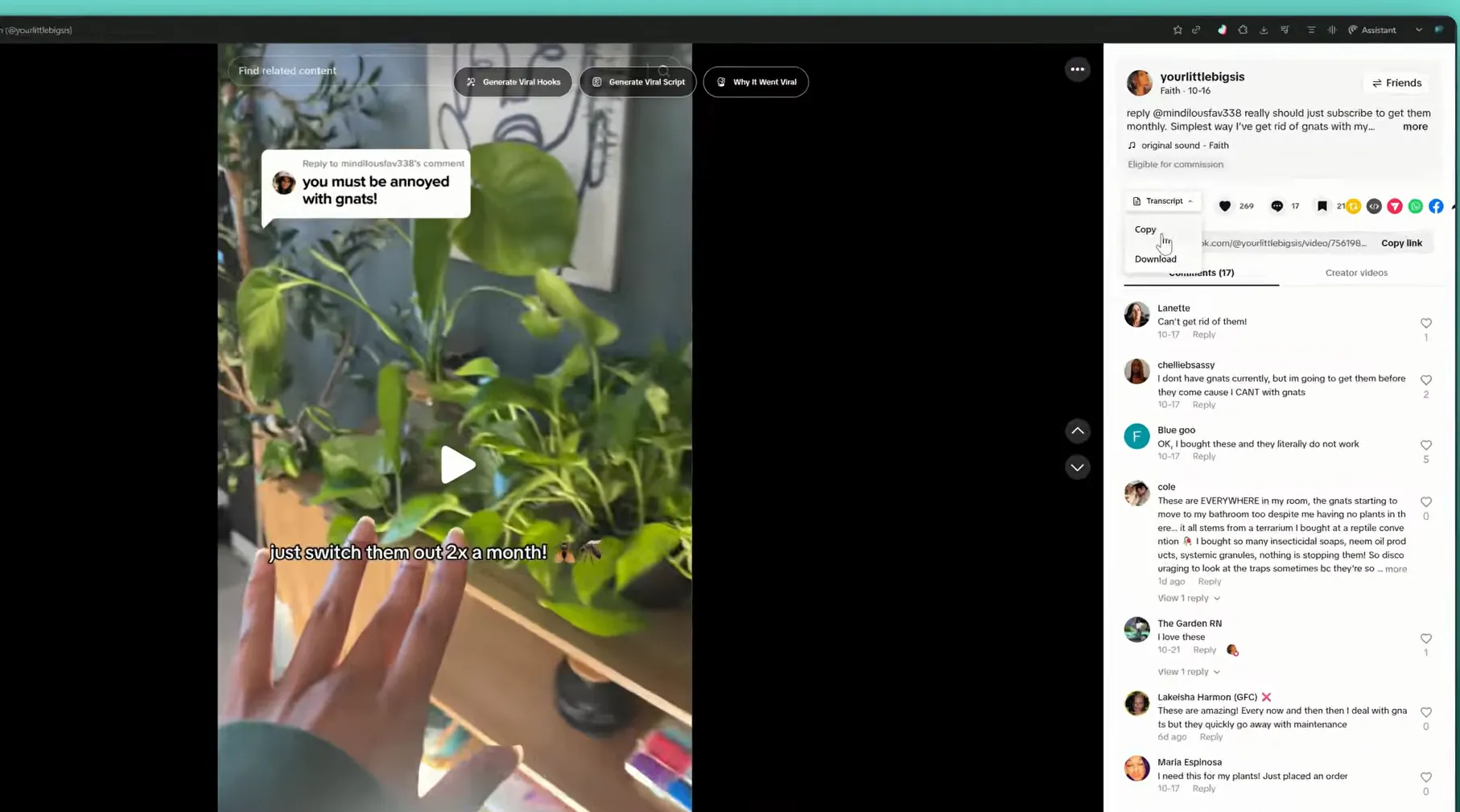
The extension is the fastest route from feed to transcript: one click on any video pulls the text, hidden analytics, and an HD download without leaving TikTok.
-
Step 1
Open the Chrome Web Store listing and click Add to Chrome.
-
Step 2
Confirm the install in the browser dialog.
-
Step 3
Pin TokScript to the toolbar so the button is always in reach.
-
Step 4
Open TikTok and click the extension on any video — the transcript appears in place.
The web app — zero-install home base
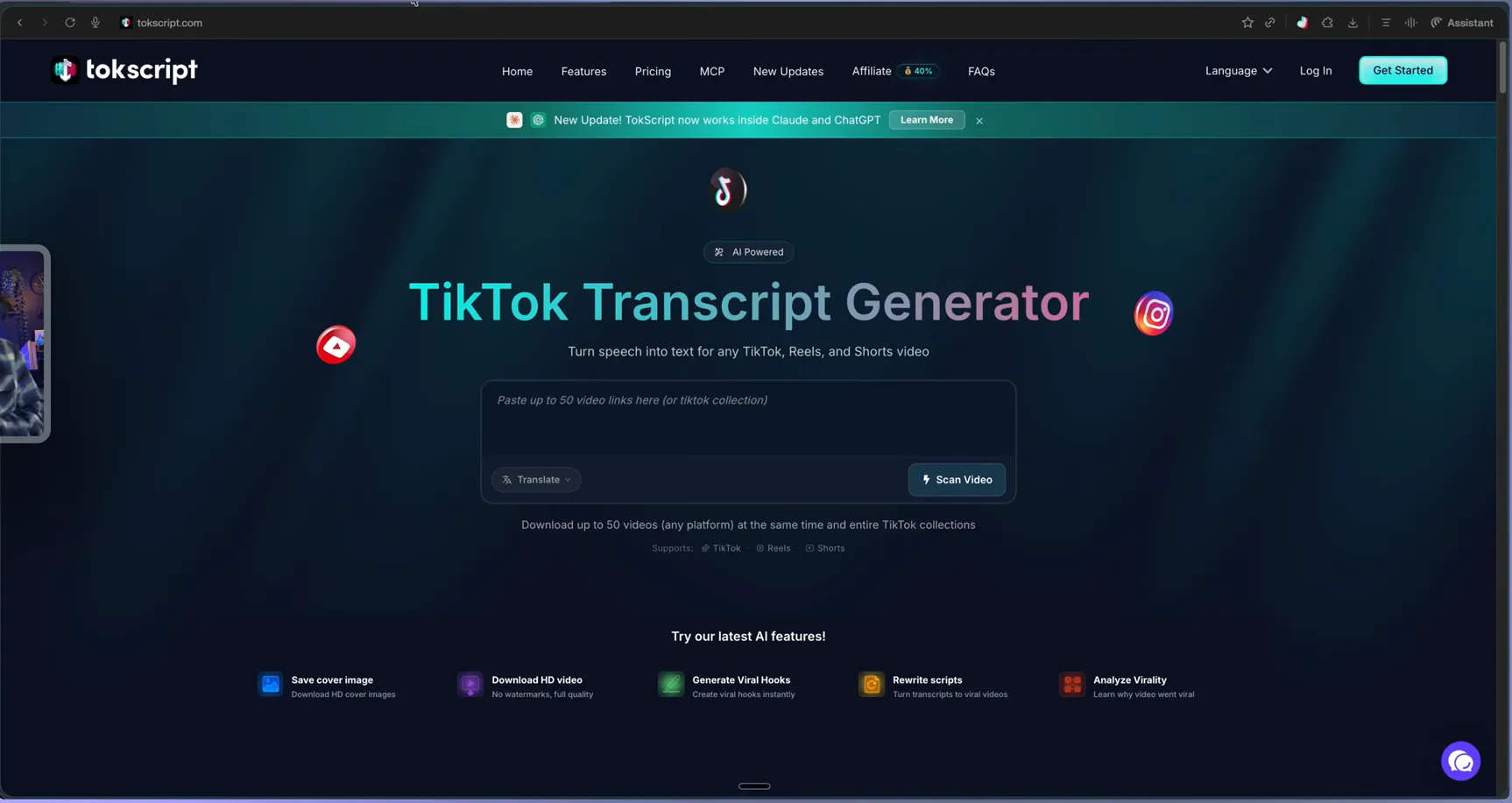
Everything the extension captures also lives in the web app, alongside batch import and the cloud library — this is what the input desk looks like:
TikTok transcript download formats
Every transcript can leave TokScript in the shape your workflow needs: copy the text directly, or export TXT for scripts, CSV for spreadsheets, and XML or JSON for pipelines. Paid plans add the HD source video download without watermarks alongside the text.
Looking for a TokScript app for iOS or Android? There is no native mobile app today — the web app is responsive and works in mobile browsers, and this page tracks the official platform list, so if that changes you will read it here first.
One verification habit worth keeping: install the extension only from the Chrome Web Store listing linked above, and sign in only on tokscript.com — lookalike downloader sites recycle popular tool names, and the safest path to any of the four platforms on this page is the official link next to it. If an install misbehaves, removing and re-adding the extension resolves most issues; anything deeper is a case for the official Help Center linked in the footer.