TokScript MCP puts the transcript engine inside Claude and ChatGPT: connect it once, and you can ask your AI chat to fetch the transcript of any TikTok, Reels, or Shorts link — then keep working on that text in the same conversation. MCP access is included on every plan, including the free tier’s 5 transcripts a day, which makes it one of the fastest ways to try TokScript at all.
What MCP is, in one paragraph
MCP — the Model Context Protocol — is an open standard that lets AI assistants call external tools directly from a conversation. TokScript ships an MCP server, so once it is connected, “get me the transcript of this video” becomes something Claude or ChatGPT can actually do, instead of something you do in another tab and paste back. The official setup page at tokscript.com/mcp lists the current connect strings for each client.
Connecting TokScript to your AI chat
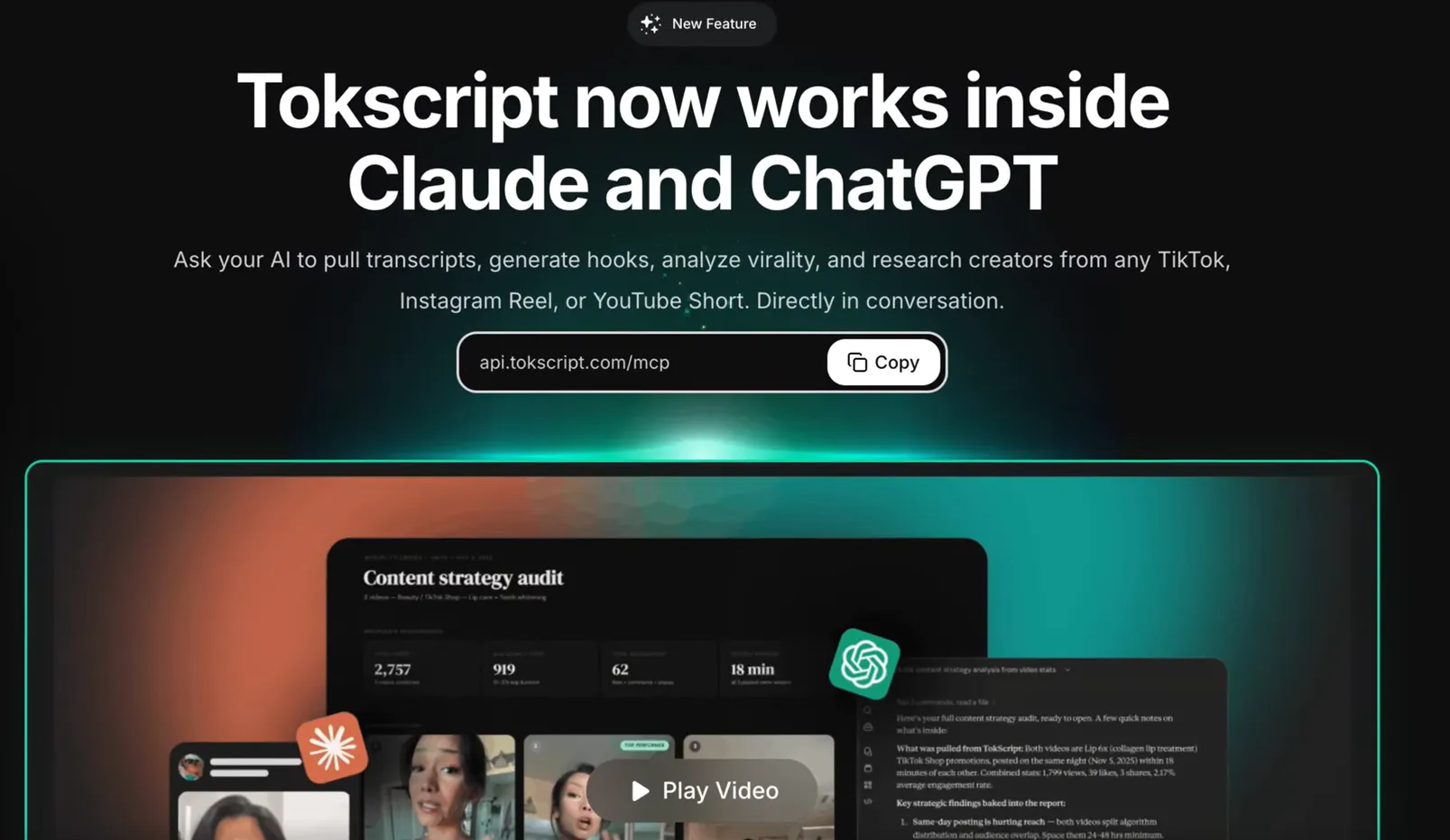
- Open the official MCP page and copy the connection URL — at the time of writing it is
api.tokscript.com/mcp, shown with a copy button on tokscript.com/mcp. - Add the connector in your AI client. In Claude, add TokScript under connectors/MCP settings; in ChatGPT, add it as a connector in settings.
- Authorize once. The first call links the connector to your TokScript account and its plan limits.
- Ask for a transcript. Paste any video link into the chat and ask for the transcript — the text arrives in the conversation, timestamps included.
What the chat-native workflow unlocks
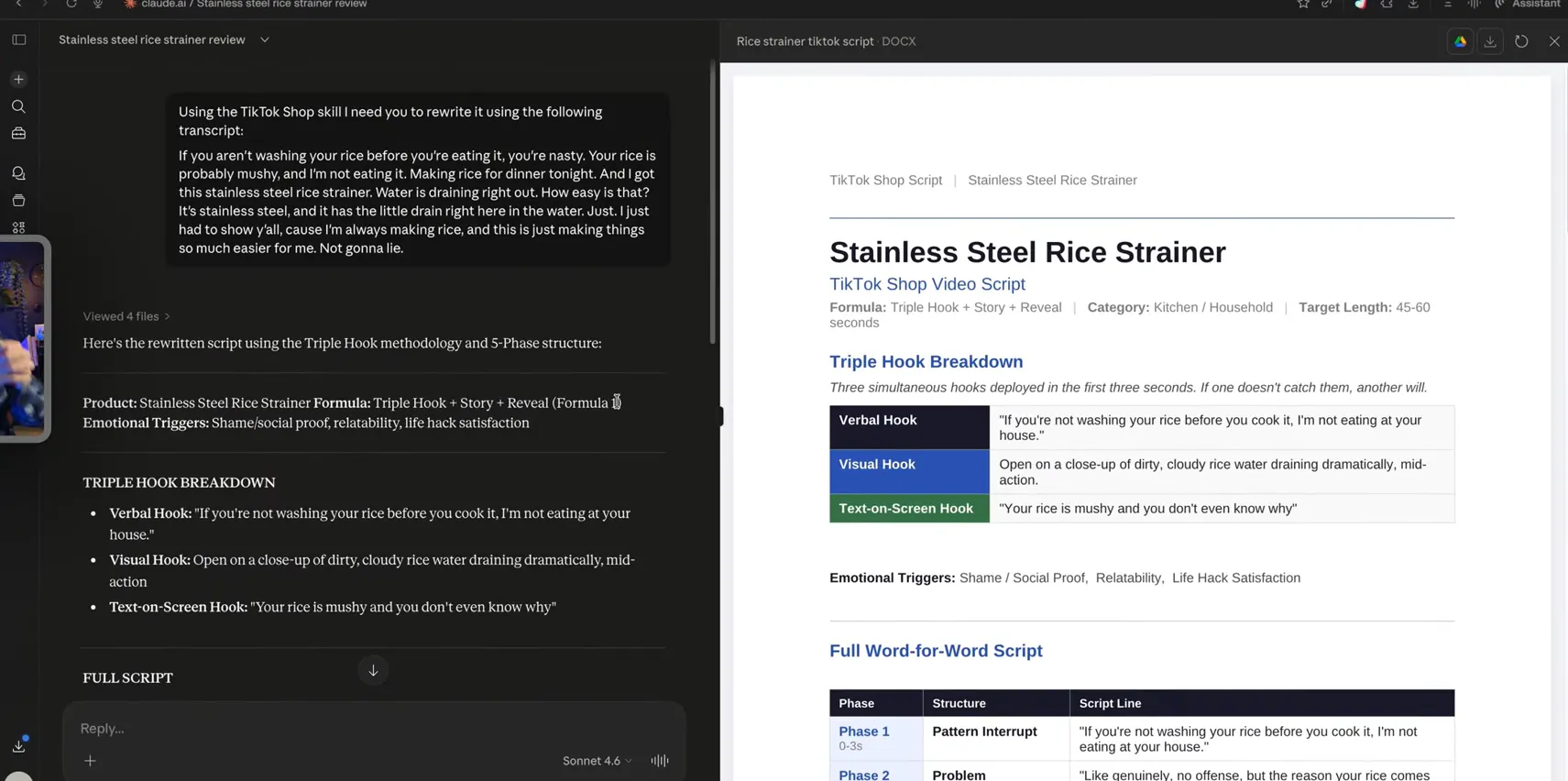
The point is not novelty — it is that the transcript lands where the thinking happens. Three patterns work especially well. Research-and-rewrite: fetch a competitor’s transcript and, in the same message thread, ask for a version in your voice — the workflow below shows a real transcript being reshaped into a structured TikTok Shop script without leaving Claude.
 Batch synthesis: pull several
transcripts one after another and have the assistant compare hooks, structure, and pacing
across them. Drafting: fetch your own best-performing video and use it as a style reference
while writing the next script. Every one of these previously meant a browser round-trip of
about 30 seconds per video; over a research session of twenty videos, that is ten minutes of
pure interruption removed.
Batch synthesis: pull several
transcripts one after another and have the assistant compare hooks, structure, and pacing
across them. Drafting: fetch your own best-performing video and use it as a style reference
while writing the next script. Every one of these previously meant a browser round-trip of
about 30 seconds per video; over a research session of twenty videos, that is ten minutes of
pure interruption removed.
Limits and troubleshooting
Per the official MCP page, the free tools cover basic transcript retrieval, video stats, and creator profiles; the AI agents and advanced tools require a paid subscription, and bulk processing through MCP supports up to 20 videos per conversation. If a fetch fails, the usual causes are an expired authorization (reconnect the connector), a private or region-locked video, or a link format the platform has recently changed. The official MCP page tracks current client support; this tutorial is updated when the connection flow changes, so the steps above match what the connector actually shows.